De-centralized privacy tools and more — free for personal use
How My PC Direct handles information. Last updated 26 October 2026.
My PC Direct is a Windows application that connects your own computers directly to each other. We keep as little information about you as the service can be run on, we do not sell it, and we do not pass it to advertising networks.
Every visit leaves an entry in the web server log: the address you connected from, the time, the page requested, the response, the amount of data sent, and the browser identification your browser supplies.
From that address we work out an approximate location - city, region and country - using a copy of a geolocation database held on our own server. Your address is not sent to any outside service in order to do this. Detailed records are kept for 30 days and then removed; only counts and totals are kept after that.
This site sets no advertising or tracking cookies, and uses no third-party analytics service. The site software may set a single session cookie, which is needed for the site to function and is discarded when you close the browser.
My PC Direct connects your computers directly. Your screen, keystrokes, clipboard, files and sign-in details travel only between your own computers, encrypted end to end, and do not pass through us. We keep no logs of your sessions, connection times or activity.
To find each other, your computers publish a small encrypted announcement to a public peer-to-peer network (a distributed hash table). The announcement includes the internet address at which the computer can be reached, and is visible to other participants in that network. Your My PC Direct credentials are not sent: only a hash derived from them is used to find your other computers.
Organizations buy licenses at billing.clue.im. Payment is taken by PayPal. We do not see or store your card details. To issue and support a license we keep the contact name, company, e-mail address, country and postal address given at purchase, any VAT or tax ID and purchase-order number you enter, the order and the invoice, the license key, and a record of each computer on which the key is activated: its machine identifier, computer name and application version, and when it first and last checked in. Licensing requests are logged together with the network address they come from. We keep these records for as long as they are needed to administer licenses, prevent misuse and meet our legal and accounting obligations.
You will be asked to confirm the address before anything is sent to it, and every message carries a link to stop. Addresses are not shown to other recipients and are not passed to anyone else.
We do not sell or rent information about you. We do not use advertising networks or third-party trackers. We do not attempt to identify individual visitors from their browsing.
You may ask what we hold about you, ask for it to be corrected, or ask for it to be deleted. Write to software@clue.im and we will respond.
If this notice changes, the date at the top changes with it.
Each one does a single job properly, in the same plain language, with no account anywhere.
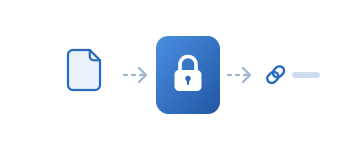
Send a file from the browser, encrypted before it is uploaded, or use the Windows application for larger files and whole folders.
Visit filesender.io →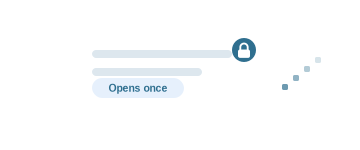
Send a private message as a link that can be opened once and then disappears. No account and no phone number.
Visit textme.im →
A one-time encrypted conversation that opens from a link. No account, no phone number and no history kept.
Visit protected.chat →
Hand a whole gallery of photos and videos to family directly from your computer, using one-time codes that expire on their own and can be revoked at any moment.
Visit sending.pics →
Reads the drive’s own file table instead of walking folders, so the whole disk appears quickly, sorted by size. Delete, move and rename from the same window, with a running total of the space reclaimed.
Visit claimdisk.com →
Shows the devices on your network in about thirty seconds, explains in plain English what is wrong, and fixes it in one click — with a link straight to your own router’s security advisories and firmware.
Visit lanfixer.com →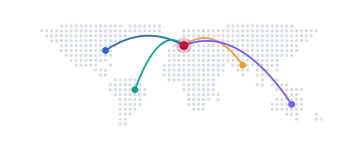
Draws the connections your PC makes on a map of the world, shows which program made it, and blocks any address, region or whole country that has no business being there.
Visit mapblocker.com →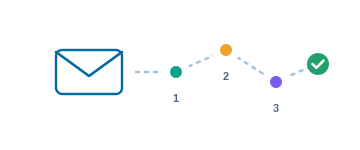
Paste an email header to trace where the message really came from — every hop, by country and address — and decode what the obscure header codes actually mean.
Visit headerscanner.com →Free for personal use, all of them. Organizational use (business, government and non-profit) of the Windows applications starts at $19.99 per seat.
